
The blank page is every content creator’s biggest enemy. You’ve got an idea, your audience is waiting, but somehow the words just won’t come.
That’s where ChatGPT changes the game. Instead of staring at a cursor for hours, you can harness AI to transform rough concepts into polished, engaging scripts in minutes. But here’s the real secret: the quality of your script depends entirely on the quality of your prompts.
This isn’t a generic guide about AI. This is your practical toolkit—the exact prompts, strategies, and techniques that’ll transform how you write YouTube scripts in 2026.
Why ChatGPT Prompts Actually Matter for Script Writing
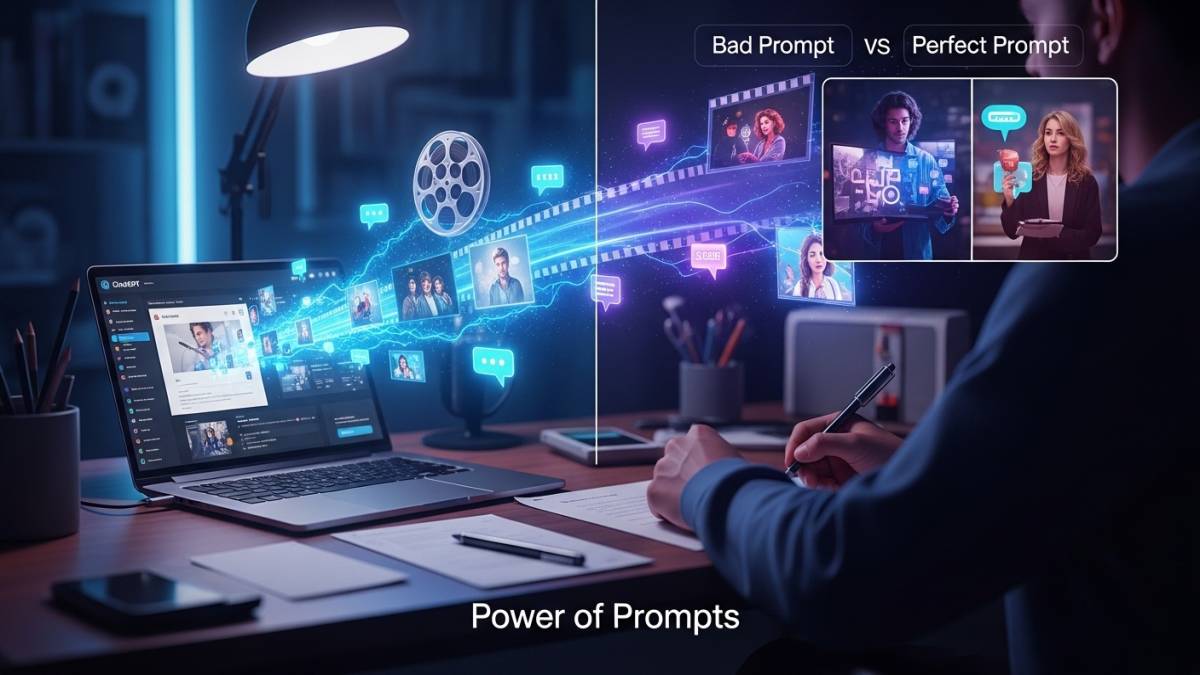
ChatGPT is like hiring a skilled co-writer who understands storytelling, audience psychology, and engagement mechanics. But unlike a real writer, it needs clear instructions.
Most creators make the same mistake: they ask ChatGPT vague questions and get mediocre results. They think AI is broken. The truth? They haven’t learned to ask the right questions.
Specific, well-structured prompts are the difference between a script that feels stiff and robotic versus one that sounds like a real person talking to a friend. That’s exactly why we’ve gone deep into analyzing what actually works.
The Foundation: Context and Role-Setting Prompts
Before you ask ChatGPT to write anything, it needs to understand who you are and what your channel does. This single step eliminates 80% of poor results.
Your channel context prompt:
“You are [Your Channel Name], a YouTube channel that focuses on [your main niche]. Your audience is [describe your typical viewer—their age, interests, pain points]. The tone of your content is [conversational/educational/humorous/inspirational]. You should write scripts that feel personal and relatable, keeping your audience’s specific needs at the forefront. All scripts should include clear calls-to-action. Confirm you understand by saying ‘Ready.'”
This prompt does the heavy lifting. ChatGPT now knows exactly how to sound when it writes for you. It’s not generic anymore—it’s tailored to your brand.
Why this works: It establishes boundaries and personality. Without this, ChatGPT defaults to a generic, corporate tone that screams “AI wrote this.”
How to Structure Your Main Script Prompts
The best scripts aren’t born perfect. They’re built in layers. Most successful creators break their prompts into three distinct sections: intro, body, and conclusion.
For your introduction prompt:
“Write an attention-grabbing opening hook (15-30 seconds) for a video about [your topic]. This hook should highlight the benefit or curiosity angle—why should viewers care about what’s coming next? Include a clear overview of what viewers will learn. Make it feel natural and conversational, not salesy.”
For your body content:
“Create the main content section (approx. [length] minutes) covering these key points: [Point 1], [Point 2], [Point 3]. Each point should include a brief explanation, a real-world example, and actionable takeaway. Use smooth transitions between ideas. Maintain an engaging tone throughout—include the occasional question directed at the viewer to maintain connection.”
For your conclusion:
“Write a concise conclusion (1-2 minutes) that summarizes the main takeaway. Include a punchy final thought that sticks with viewers. End with a clear call-to-action: [specific CTA like ‘subscribe,’ ‘comment your experience,’ or ‘visit the link in the description’].”
Breaking it down this way gives you precise control. You’re not asking ChatGPT to produce a perfect novel—you’re asking it to excel at one specific section at a time.
Also Read:- Shaheed Divas Anchoring Script (23 March): Bhagat Singh Tribute – Full English Script
What Are the Most Effective ChatGPT Prompts for Video Titles and Hooks?
Your title and opening 10 seconds determine whether someone stays or leaves. No script matters if nobody watches it.
For generating title options:
“Generate 10 compelling YouTube video title ideas for a video about [your topic]. These titles should be: SEO-friendly (include relevant keywords naturally), emotionally resonant, and intriguing enough to make someone click. Provide variety—mix curiosity-based titles with benefit-based titles. Avoid clickbait language.”
For hook variations:
“Write 5 different hook variations for a video titled ‘[Your Video Title].’ Each hook should take about 15-20 seconds to read. Make each one appeal to a different angle: one emotional, one curiosity-driven, one benefit-focused, one story-based, and one question-based. All should end with a clear transition into the main content.”
Pro tip: Don’t pick the first hook that sounds good. Test variations with your audience. Some audiences respond to emotional openings; others prefer direct benefits. Your data will tell you which style converts viewers into loyal subscribers.
Also Read:- 4th July Independence Day Anchoring Script in English for School
How to Write Better Video Scripts With ChatGPT: Advanced Strategies
Once you’ve got the basics down, you need to push for better quality. Here’s where most creators plateau—they accept the first draft.
The editing prompt:
“Rewrite the script above to sound more conversational and less formal. Remove any phrases that sound robotic or corporate. Add 2-3 moments where I directly address the viewer by asking them a question. Ensure each sentence could be naturally spoken out loud—if I stumble over a phrase while reading, simplify it.”
The personalization prompt:
“Review the script and add a personal anecdote or example from my own experience that relates to [topic]. This should feel authentic and relevant, not forced. Use this to build connection with viewers.”
These secondary prompts are where your script evolves from good to excellent.
The Problem Most Creators Face (And How to Solve It)
Here’s what happens: ChatGPT sometimes generates content that’s technically accurate but emotionally flat. Or it’s overly wordy. Or it includes dated references that instantly date your content.
The solution is iteration and feedback.
Use these follow-up prompts:
- “Continue this section with more depth and examples.”
- “Simplify this section—remove jargon and explain it like I’m talking to a beginner.”
- “Make this section 20% shorter while keeping all the essential information.”
- “Add a surprising fact or statistic that proves my point about [topic].”
Each of these prompts directs ChatGPT toward specific improvements. You’re not just accepting what it gives you—you’re collaborating with it.
Also Read:- Juneteenth 2026 Anchoring Script in English | June 19 Holiday Hosting Script
Can You Use ChatGPT to Generate Multiple Video Ideas at Once?
Absolutely. In fact, this might be ChatGPT’s best use case.
For bulk content planning:
“Generate 15 video ideas for my YouTube channel about [niche]. These should address common problems my audience faces. For each idea, provide: a compelling title, the main benefit for viewers, and 3 key talking points. Organize them by priority—start with the highest-demand topics based on search trends and audience pain points.”
This single prompt becomes your content calendar. You’re not scrambling for video ideas weekly. You’ve got a month’s worth of validated concepts ready to develop.
Does ChatGPT Work for Different Video Types?
Different video formats require different scripts. A tutorial script looks nothing like a vlog script.
For tutorial/educational videos:
“Write a script for a 10-minute tutorial video teaching [skill/topic]. Structure it as: problem statement (viewers understand what they’re solving), step-by-step instructions (clear and sequential), helpful tips along the way, and a recap of what they’ve learned. Include [visual] cues where animations or graphics would enhance understanding.”
For vlogs/narrative content:
“Write a 7-minute vlog script with a conversational, story-driven narrative about [experience]. Include a relatable opening that hooks viewers emotionally, the main story with dialogue-style moments, and a reflective conclusion about what you learned. Maintain a casual tone—like you’re telling a friend something interesting over coffee.”
For review/opinion videos:
“Create a script for a product review video of [product]. Include: opening hook that shows the product, pros (with specific examples), cons (honest critique), comparison to alternatives, and final recommendation with CTA. Maintain credibility by being balanced—acknowledge strengths even if it’s not your top pick.”
Each format requires different language patterns and pacing. Knowing which prompt to use dramatically improves results.
How Long Should a YouTube Script Be?
There’s no universal answer, but the golden rule is: your script length should match your video intention.
A 5-minute video script typically needs 700-850 words of voiceover. A 15-minute video needs 2,200-2,500 words. But these are rough guides.
Always specify length in your prompts:
“Write a complete script for a [X-minute] video about [topic]. The script should contain approximately [word count] words when read at a natural pace. Include timing notes [e.g., ‘pause here for 3 seconds for B-roll’] where visuals will enhance the message.”
Being specific prevents you from getting a 2,000-word script when you only need 800 words.
What’s the Secret to Making ChatGPT Scripts Sound Human?
AI-generated content has a telltale sound. It’s too perfect. Too polished. Too… robotic.
Here’s the secret: embrace imperfection intentionally.
Try this prompt:
“Review this script and make it sound more human. Add one or two moments of genuine uncertainty or humor. Include conversational filler words where appropriate (like ‘you know,’ ‘honestly,’ ‘here’s the thing’). Make sure it sounds like someone genuinely excited about this topic speaking naturally, not reading from a corporate document.”
Another powerful technique: share a transcript of one of your existing videos with ChatGPT.
The style-matching prompt:
“Here’s a transcript of one of my previous videos: [paste transcript]. Write a new script about [new topic] that matches this style, tone, and pacing. I should sound like the same person, but discussing this different topic.”
This technique is gold. ChatGPT analyzes your actual voice and replicates it across new scripts.
The Iterative Process That Separates Good Creators From Great Ones
You’ll rarely get a perfect script on the first try. That’s not failure—that’s the normal process.
The successful creators have a system:
- Generate the rough draft with your main prompt
- Read it aloud and note where it feels unnatural
- Send feedback to ChatGPT: “This section about [topic] feels rushed. Expand it with more examples and slow down the pacing.”
- Test variations when you’re unsure: “Give me two versions of this introduction—one is emotionally driven, one is benefit-driven. I’ll choose which fits better.”
- Personalize by adding your own stories and experiences
- Proofread for accuracy and current facts
This cycle might take 20-30 minutes, but you’ve gone from a blank page to a complete, personalized script.
Common Mistakes When Using ChatGPT for Scripts
Being too vague. “Write me a YouTube script” will never work. You need context.
Not iterating. Accepting the first output and calling it done leaves performance on the table.
Ignoring factual accuracy. ChatGPT’s knowledge has limits. Always fact-check claims about statistics, recent events, or specific data.
Forgetting the personality. Your audience subscribed to you, not to a generic AI voice. Always add your personal flavor.
Skipping the outline stage. Jumping straight to full scripts causes ChatGPT to ramble. Outlines first, then flesh out sections.
Moving Forward: Your 2026 Script Strategy
ChatGPT isn’t a replacement for creativity. It’s a tool that removes friction from the execution phase. The ideas, the voice, the personality—that’s still you.
Use these prompts as starting points. Adapt them to your specific niche, audience, and style. Test them. Refine them based on what works for your channel.
The creators winning in 2026 aren’t the ones using ChatGPT—they’re the ones who’ve mastered asking the right questions and editing ruthlessly.
Your scripts don’t have to take weeks anymore. With the right prompts, a strategic approach, and a willingness to iterate, you can produce quality scripts faster than you ever thought possible. That frees you up to do what actually matters: creating great videos your audience loves.
Frequently Asked Questions
Is it ethical to use ChatGPT for YouTube scripts?
Absolutely. Using AI tools is standard practice in 2026. Many successful creators use ChatGPT alongside their creative process. The key is that you’re the final editor and decision-maker. Your channel is still uniquely yours.
How much editing do ChatGPT scripts actually need?
Plan for 20-40% editing time. You’ll refine phrasing, add personal touches, fact-check information, and adjust timing. This is expected and normal. Think of ChatGPT as creating the first draft—your editing makes it excellent.
Can ChatGPT help with multiple video types on the same channel?
Yes. One of its strengths is flexibility. You can use different prompts for tutorials, vlogs, reviews, educational content, and more. Just adjust your context prompt to reflect each video type.
What if ChatGPT gives information that’s outdated or wrong?
Always verify facts. ChatGPT has a knowledge cutoff, so recent events or current statistics need fact-checking. This is your responsibility as a creator.
Should I use ChatGPT for every script I make?
Not necessarily. Some videos might be better served by full creative writing. Use ChatGPT strategically when you need speed or when brainstorming is difficult. Don’t let it replace your creative instincts.